
Starting from a frame you like
When I open a movie, I often want to see first: is there a frame in here that I like?
It might be a new release I saw in the rankings, or a work just out from an actor I like. Before downloading, the cover, description, and cast got me interested; once I actually open it, I still want to look at the movie itself and find the part I want to watch.
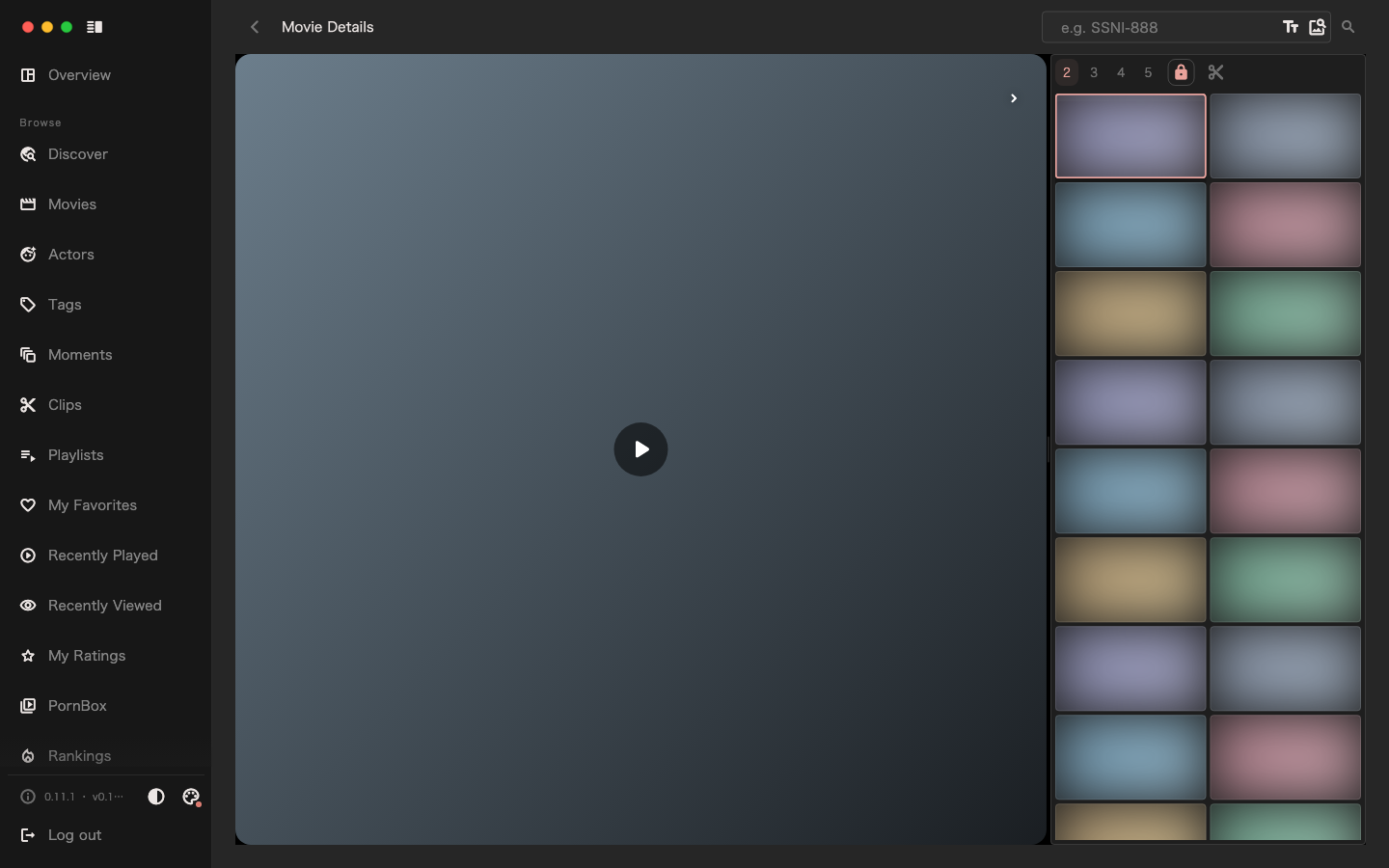
Sometimes I watch slowly from the beginning; sometimes I just want to pick a segment I'm interested in. So I put a column of thumbnails on the right side of the player, laying out the frames of the movie along the timeline.
When I see a place I like, I start watching from there. That was the most direct idea behind this feature.
First, see what's in a movie
In the past, to get a quick sense of a movie, I usually dragged the progress bar. Move forward a bit, watch a few seconds, move a bit more. What I could find depended largely on where I happened to land this time.
Thumbnails let me browse first, then decide.
Looking down the frames on the right, I can roughly tell what scenes are in the movie and how the content changes. Whichever one interests me, one click jumps to the corresponding position to take a look. The frames are laid out there, and I can choose according to my own interest.
A thumbnail certainly can't replace a video segment. But it's enough to give me a thought: here, I want to watch a little longer.
I want to spend less time searching and save the watching time for what I like.
Let the thumbnails accompany viewing
I put the thumbnails next to the player because I want them handy while watching.
If the part I'm watching is good, I can keep going; if I want to know what's next, I can glance to the side and flip through. When needed, I can let the thumbnails follow the playback position; when I want to browse on my own, I can stop following and slowly look for places I'm interested in.
I like that feeling of being able to choose at any time. A movie can be watched from start to finish, or started from a frame that draws me in. Every time I open one, I don't have to plan a complete viewing schedule for myself.
Watch a bit longer when I have time, and stop when I see something I like.
This frame is nice—is there more?
After finding a frame I like, I sometimes wonder: is there more like this in the library?
The reason I like it might be very specific. A certain scene, light, composition, or the feeling of several things coming together. But when I try to put it into keywords, I may not be able to explain it clearly.
At that point, the image in front of me is the most convenient clue.
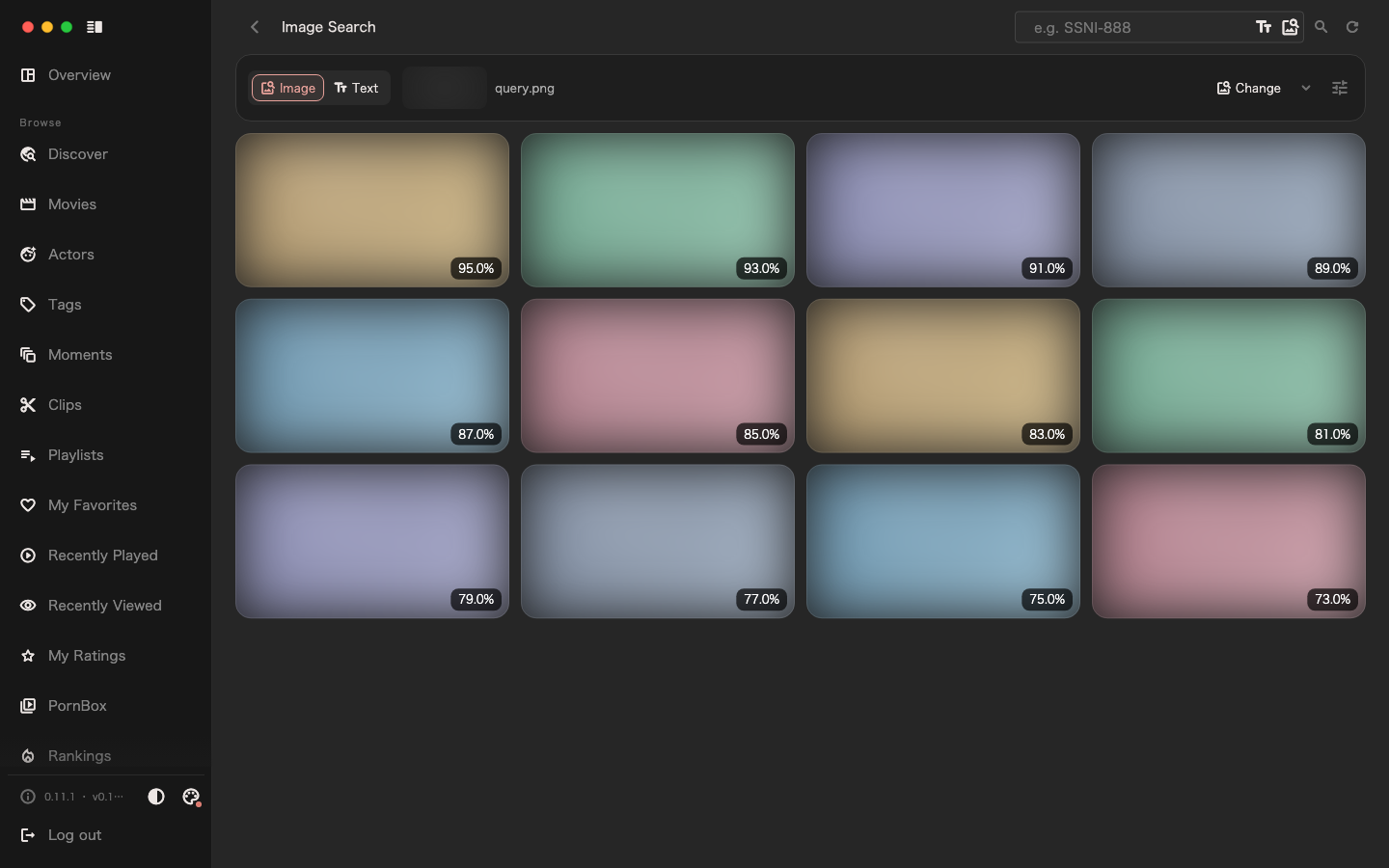
In the thumbnail action menu, choose "Similar images" to start an image search with it and see what similar frames exist in the media library. When a thumbnail result is interesting and has a playable source, I can jump to the corresponding position and keep watching.
What started as opening one movie may lead, through one frame, to discovering something I like in another movie.
Similar doesn't necessarily mean liked. Some results are just close in color or scene, and I may not be interested after looking. But occasionally finding a segment that suits me makes this casual exploration feel worthwhile.
Let downloaded movies be seen again
When the media library was small, I roughly remembered every movie. As it slowly grows, some content always gets forgotten inside it.
Some were downloaded and never watched; some I watched once but didn't notice a certain segment. When I come across the cover again, I don't necessarily feel like reopening it.
Image search gives me another chance to get to know them.
I may never have noticed this movie, yet a frame in the search results makes me want to click in and look. Or it may be a familiar work, and only this time do I discover there's a segment in it that matches my taste.
This kind of discovery makes me feel that downloaded movies still have a lot to explore. The richer the library, the more chances to follow a frame I like and meet the next one.
What's searched here are the images already indexed in the media library, not all movies on the internet. Only after thumbnails and the search index are ready do these connections between frames have a chance to be found.
Find what you like, then decide what to keep
For me, these two features connect into a very natural process.
Open a movie I want to watch, and first browse the thumbnails on the right. When I see something interesting, jump there and watch for a while. If I want more similar frames, search with that image and let it show me other content in the library.
What I really like, I can mark as a moment to come back to later. The segment I want to keep independently, I turn into a clip and keep properly.
In the previous article, I talked about what I want to keep. These choices always have to start from some viewing session.
I hope SakuraMedia can make such a start a little easier. Open a movie and quickly find the part you like; follow one frame and discover something you hadn't noticed.
Watch slowly, choose slowly. What ends up in the collection becomes more and more like your own liking.